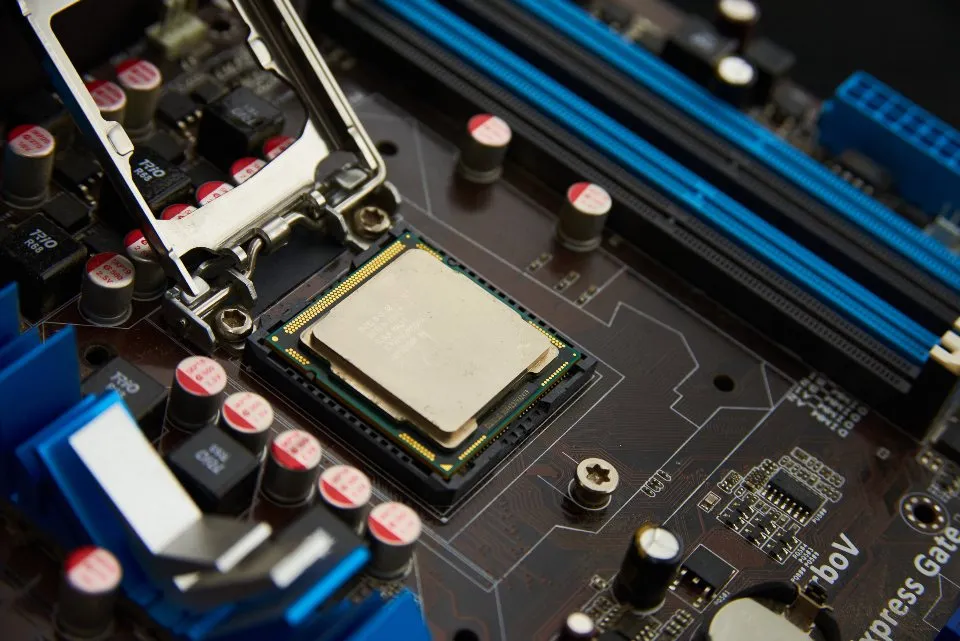
A 16+2+2 VRM has 16 power stages for the CPU cores, while an 18+2+2 VRM has 18. The two SoC and two MISC stages are the same on both. For any stock Ryzen 9 or Core Ultra 9, a good 16+2+2 board is enough, and the extra two stages on an 18+2+2 board mostly buy lower VRM temperatures and more headroom for heavy overclocking.
The bigger difference usually hides in the amp rating next to those numbers, which is why our motherboard guides always read the full power spec line, not just the phase count. Here is how the two layouts compare, what the numbers really mean, and which one fits your build.
Key Takeaways
- The only layout difference is two extra Vcore stages: 18 instead of 16. SoC and MISC stay at 2 each.
- More stages share the same load, so each one carries about 11 percent less current and runs a little cooler.
- The amp rating per stage (90A vs 110A) changes total capacity more than the extra two stages do.
- Stock CPUs like the 170W Ryzen 9 9950X run fine on a quality 16+2+2 board.
- Pick 18+2+2 for sustained all-core overclocking, small cases with weak airflow, or long heavy render loads.
16+2+2 vs 18+2+2 VRM: the short version
Both layouts belong to upper mid-range and high-end boards. ASUS shows the gap clearly in its own X870 lineup, so the table below uses two real boards from the same family.
| Spec | 16+2+2 example (ROG Strix X870-A Gaming WiFi) | 18+2+2 example (ROG Strix X870E-E Gaming WiFi) |
|---|---|---|
| Vcore stages | 16 at 90A | 18 at 110A |
| SoC stages | 2 at 90A | 2 at 110A |
| MISC stages | 2 at 80A | 2 at 80A |
| Combined Vcore stage rating | 1,440A | 1,980A |
| CPU power connectors | Dual 8-pin ProCool II | Dual 8-pin ProCool II |
| PCB | 8 layers | 8 layers |
| Best fit | Stock or mild PBO on any AM5 chip | Heavy all-core tuning, long render loads |
Look at the combined Vcore rating. Going from 16 to 18 stages alone would add 12.5 percent. Going from 90A to 110A stages on top of that adds far more. That is why two boards with “about the same” VRM on paper can sit in very different price tiers.
What do the numbers in 16+2+2 and 18+2+2 mean?
Each number counts the power stages feeding one voltage rail on the CPU. The VRM (voltage regulator module) takes 12 volts from your power supply and steps it down to the roughly 1 to 1.4 volts a modern CPU runs on. Each stage handles a slice of that job.
- First number (16 or 18): Vcore, the power for the CPU cores. This is the rail that works hardest under load.
- Second number (2): SoC on AMD AM5 boards. It powers the memory controller, Infinity Fabric and other uncore parts.
- Third number (2): MISC, a smaller auxiliary rail. ASUS rates these at 80A on both example boards.
Intel boards often show a fourth number. The ROG Strix Z890-E Gaming WiFi, for example, lists 18+1+2+2: 18 for VCCCORE, 1 for VCCGT (the integrated graphics), 2 for VCCSA (system agent) and 2 for VNNAON. The Vcore logic is the same. Only the extra rails change.
Stages vs true phases
A “stage” is not always a “phase.” Many boards pair two stages on one output from the PWM controller (the chip that tells each stage when to switch). This is called teaming. A 16-stage Vcore built this way behaves like 8 true phases with doubled current capacity per phase. Teaming still spreads heat across more parts, so it is not a bad thing, but it means the headline number tells you about capacity and heat more than about switching smoothness. Detailed board reviews usually list the controller model if you want to check.
Does an 18+2+2 VRM run cooler than 16+2+2?
Yes, a little, at the same load and with the same parts. The CPU draws one total current, and the VRM splits it across every Vcore stage. More stages means each carries less.
Here is a simple worked example. Say the cores pull 200A during a heavy all-core load. The split looks like this:
| Vcore stages | Current per stage at 200A | Relative heat per stage (conduction) |
|---|---|---|
| 16 | 12.5A | 100% |
| 18 | 11.1A | about 79% |
Conduction loss in a MOSFET rises with the square of the current, so a small drop in current per stage gives a bigger drop in heat per stage. Spread over more stages and more heatsink contact, the whole VRM area ends up a few degrees cooler. Total loss across the board falls too, by roughly 11 percent in this example, because 18 stages at 11.1A waste less than 16 stages at 12.5A.
Keep it in proportion, though. Both numbers in that table are tiny next to what a 90A or 110A stage can handle. At stock settings, neither layout comes close to its limit. The cooling benefit matters most when you push power for hours, in a case with poor airflow over the VRM heatsink.
Why the amp rating matters more than the stage count
The amp rating tells you how much current each stage can deliver, and it changes capacity faster than adding stages does. Multiply the two and you get a quick ceiling for the Vcore rail:
- 16 stages at 80A = 1,280A
- 16 stages at 90A = 1,440A
- 18 stages at 90A = 1,620A
- 16 stages at 110A = 1,760A
- 18 stages at 110A = 1,980A
So a 16+2+2 board with 110A stages has more raw capacity than an 18+2+2 board with 90A stages. These totals are ratings, not real limits. Heat, the heatsink and airflow cap what a VRM can sustain long before the stage math does. Still, a higher-rated stage runs cooler at a given current than a lower-rated one, which helps every load.
Most current boards use smart power stages. Each one packs the driver and both MOSFETs into one small chip and reports its own current and temperature back to the controller. The AOS AOZ5276QI-03 product page is a good example of what one 110A stage includes: two MOSFETs, an integrated driver, current and temperature monitors, and over-current and over-temperature protection. That built-in protection is a big reason a modern 16+2+2 board is very hard to damage at stock settings.
Tip: When two boards list the same layout, compare the amp rating in brackets on the spec page. “16(110A)” beats “16(80A)” by a wide margin.
How much VRM do Ryzen and Core Ultra CPUs actually need?
Less than the biggest boards offer. The most power-hungry mainstream AM5 chip, the AMD Ryzen 9 9950X, has 16 cores and a 170W default TDP. A 16+2+2 board with 90A stages has huge spare capacity for that, even with Precision Boost Overdrive (PBO) raising the power limits.
On Intel, the Core Ultra 9 285K has 24 cores, a 125W Processor Base Power and a 250W Maximum Turbo Power. That is the bigger sustained load of the two, which is partly why Z890 flagships lean on 18 or more Vcore stages. Even so, a solid 16-stage Z890 board handles a stock 285K within its rated turbo power.
| Your CPU and settings | 16+2+2 (90A or better) | 18+2+2 (110A) |
|---|---|---|
| Ryzen 5 / Ryzen 7, stock | Far more than enough | Overkill |
| Ryzen 9 9950X, stock or PBO | Enough, runs warm-but-safe | Cooler with more headroom |
| Core Ultra 9 285K at 250W | Enough with good airflow | More comfortable for long loads |
| Manual all-core overclock, hours of rendering | Possible, watch VRM temps | Better choice |
If you are still choosing between chipsets as well as VRMs, the B650 vs X870 motherboard breakdown covers what else changes between tiers, and the chipset comparisons go further. Many B650 boards use smaller VRMs that still run a Ryzen 9 at stock.
What matters more than two extra power stages?
The heatsink and the case airflow over it. A 16-stage VRM under a thick, finned heatsink with a fan blowing nearby will often run cooler than an 18-stage VRM under a thin cover in a quiet, closed case. Check these before you pay for the extra stages:
- Stage amp rating: 90A or 110A is the sweet spot for high-end AM5 and Z890 boards.
- VRM heatsink size: real fins and a heat pipe between the two heatsinks help more than a styled shroud.
- PCB layers and copper: both ASUS example boards use an 8-layer PCB, which spreads heat away from the stages.
- CPU power connectors: two 8-pin EPS connectors suit a 9950X or 285K. Plug in both if your power supply has them.
- Case airflow: a front intake and a rear or top exhaust that pass air over the socket area make a measurable difference.
- BIOS updates: power limits and protection settings get tuned over time, so update after you build.
Features outside the VRM often matter more for daily use. Wi-Fi, USB and storage layout change from board to board, and the jump from Wi-Fi 6E to Wi-Fi 7 often comes in the same price step as the bigger VRM. Weigh those features alongside the power design, not after it.

How to read a VRM spec line before you buy
Board makers list the full design in brackets on the product page, so a minute of reading tells you more than the box. The ROG Strix X870E-E Gaming WiFi page, for example, spells it out as 18(110A)+2(110A)+2(80A) Power Stages. Use this order:
- Find the Vcore count (the first number).
- Read the amp rating for that rail, not the summary line. Summary text can round all stages up to the highest rating.
- Multiply count by rating to compare total Vcore capacity between boards.
- Check the heatsink design and PCB layer count.
- Look for an independent review with VRM temperature readings under load if you plan to overclock.
This is the same method our motherboard guides use in the VRM and power section, and it lets you compare boards from different brands on equal terms.
Which should you buy? Verdict by use case
For most builders, 16+2+2 is the smart buy. The extra two stages make sense only when you will actually load the VRM hard for long periods.
- Gaming on a Ryzen 7 or Ryzen 9 at stock: 16+2+2 with 80A or 90A stages. Games rarely load all cores for long, so VRM heat stays low.
- Gaming with PBO enabled: 16+2+2 with 90A or 110A stages. Put the extra money toward a better CPU cooler.
- Video editing, 3D rendering, compiling: either works at stock. Lean toward 18+2+2 if loads run for hours in a compact case.
- Manual all-core overclocking or benchmarking: 18+2+2 with 110A stages, plus strong case airflow.
- Core Ultra 9 285K at its 250W turbo limit: 16 stages work with good airflow. 18 stages give more comfort for sustained work.
- Tight budget: skip both and look at a well-cooled 14-stage board. Spend the savings on the CPU, memory or SSD.
Before you buy, it is also worth checking memory and storage support in our memory and storage motherboard guides, since slot layout and M.2 count often differ more than VRMs between two boards at the same price.
Conclusion
The gap between 16+2+2 and 18+2+2 is two extra Vcore stages, which spread the load and lower VRM temperatures a little. For stock or lightly boosted Ryzen and Core Ultra chips, a 16+2+2 board with 90A or better stages has plenty of headroom. Choose 18+2+2 with 110A stages for sustained all-core overclocking or long render jobs in warm cases. Always compare the amp rating and heatsink, not just the phase count.
Frequently Asked Questions
Is 16+2+2 enough for a Ryzen 9 9950X?
Yes. A 16+2+2 board with 90A or 110A stages handles the 170W Ryzen 9 9950X at stock and with PBO. Keep some airflow over the VRM heatsink, and the stages will stay well inside their safe temperature range.
Is 18+2+2 better for gaming?
Not in frame rate. Games do not run faster on an 18+2+2 board, because the VRM does not change CPU speed at stock. The extra stages only lower VRM temperature, which matters for long all-core loads and heavy overclocking, not normal gaming.
What does the 110A or 90A next to the phase count mean?
It is the rated current for each power stage. A higher number means each stage can deliver more current and runs cooler at the same load. Multiply it by the stage count to compare total Vcore capacity between two boards.
Can a weak VRM damage my CPU?
It is very unlikely on a modern board. Smart power stages report current and temperature and include over-current and over-temperature protection. An overheating VRM usually throttles CPU power first, which lowers performance, rather than harming the processor.
Are teamed phases worse than true phases?
Not in practice. Teaming pairs two stages on one controller output, so heat and current spread across more parts. It can respond a little slower than true phases, but for stock and mild overclocking the difference is not something you will notice.